Enhanced Query Builder
The Query Editor provides interactive access to building Patchworks Query Language (PQL) statements and is used throughout the Patchworks platform. Several significant enhancements have been added to simplify the process of building and debugging complex queries. Key features include colour syntax highlighting, code autocompletion, and improved error messages.
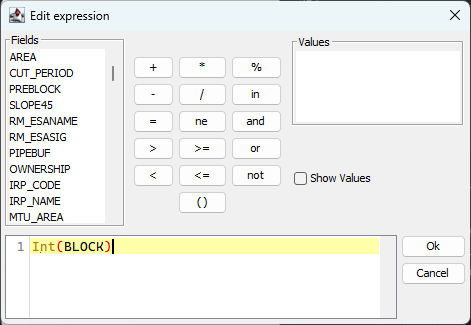
While the query tool maintains its original layout and basic feature set, the expression entry box has received a glow up. The most visually obvious aspect is the introduction of colour-coded syntax highlighting, which helps users easily differentiate between table columns, function names, literal values, operators, comments, and other syntactic elements. In the above example, the "Int" function name appears in light brown, the parentheses are red, and the "BLOCK" column name is black. Syntax highlighting provides a quick visual representation of the components in a PQL statement, breaking down complex strings into simpler and more easily understood pieces.
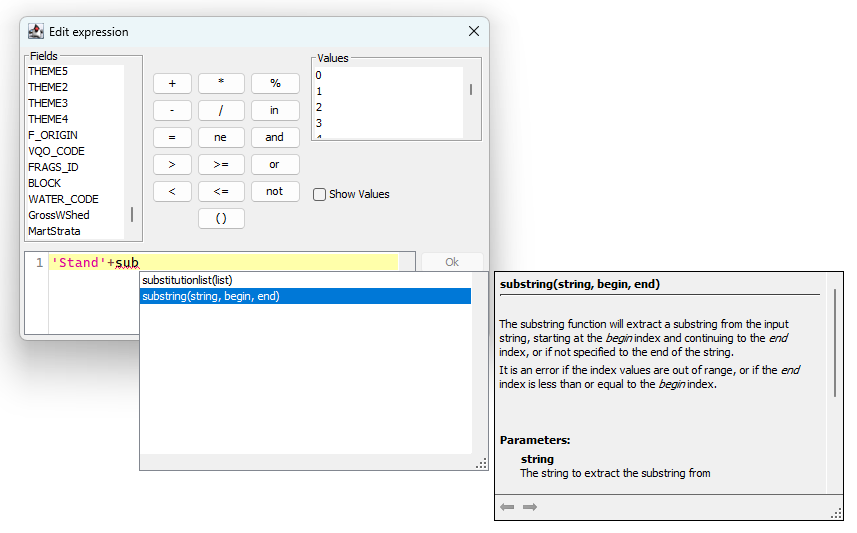
The autocompletion feature provides quick access to a list of column names and PQL functions. After entering a few characters, the editor displays a pop-up menu with options that begin with the same prefix letters. Clicking with the mouse or pressing the TAB key selects an option and inserts the chosen value into the entry pane. A notable aspect of the autocomplete pop-up is that it includes a brief overview of the function and the meaning of each parameter, serving as a helpful refresher about expected inputs and saving time by avoiding the need to consult the User Guide documentation.
Click image to enlarge
Autocompletion can be manually activated by pressing the Control-Space key combination.
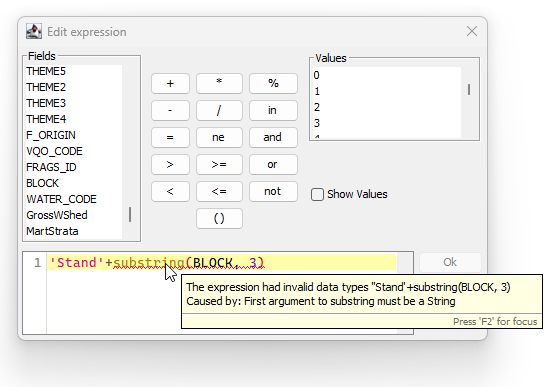
The most valuable new feature is enhanced error reporting. The location of PQL syntax errors is highlighted with a red squiggly underline. Hovering the mouse over the error location will pop up a description of the error. This helps to pinpoint the exact place where the error occurred and is especially useful for long and complex queries, where the problem might not be apparent at first.
Although not a new feature, the Query Editor also supports multiple lines and comments within complex queries. Line breaks can be used to visually separate phrases, and comments can be added at the end of lines. Comments begin with two slash characters (//) and extend to the end of the current line. When saving a query, the line break character is encoded as a "\n" within the query string, ensuring compatibility with the string encoding system.
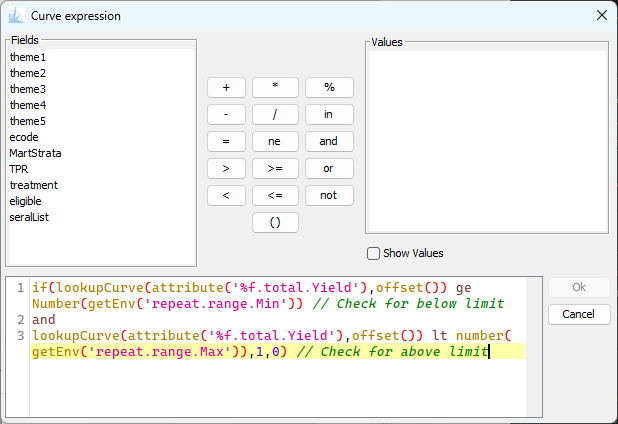
Of course, you wouldn't add a comment to an ad-hoc query that would only be used once. But complex queries saved in report definitions or ForestModel expressions are ideal candidates for additional documentation.
These new features are enabled in all instances of the Query Editor tool. Give it a try and let us know what you think.